
/** Theme Name: Astra Theme URI: https://wpastra.com/ Author: Brainstorm Force Author URI: https://wpastra.com/about/?utm_source=theme_preview&utm_medium=author_link&utm_campaign=astra_theme Description: Astra is fast, fully customizable & beautiful WordPress theme suitable for blog, personal portfolio, business website and WooCommerce storefront. It is very lightweight (less than 50KB on frontend) and offers unparalleled speed. Built with SEO in mind, Astra comes with Schema.org code integrated and is Native AMP ready so search engines will love your site. It offers special features and templates so it works perfectly with all page builders like Elementor, Beaver Builder, Visual Composer, SiteOrigin, Divi, etc. Some of the other features: # WooCommerce Ready # Responsive # RTL & Translation Ready # Extendible with premium addons # Regularly updated # Designed, Developed, Maintained & Supported by Brainstorm Force. Looking for a perfect base theme? Look no further. Astra is fast, fully customizable and WooCommerce ready theme that you can use for building any kind of website! Version: 4.8.1 Requires at least: 5.3 Tested up to: 6.6 Requires PHP: 5.3 License: GNU General Public License v2 or later License URI: https://www.gnu.org/licenses/gpl-2.0.html Text Domain: astra Domain Path: /languages Tags: custom-menu, custom-logo, entertainment, one-column, two-columns, left-sidebar, e-commerce, right-sidebar, custom-colors, editor-style, featured-images, full-width-template, microformats, post-formats, rtl-language-support, theme-options, threaded-comments, translation-ready, blog AMP: true Astra WordPress Theme, Copyright 2020 WPAstra. Astra is distributed under the terms of the GNU GPL. Astra is based on Underscores https://underscores.me/, (C) 2012-2020 Automattic, Inc. Underscores is distributed under the terms of the GNU GPL v2 or later. Normalizing styles have been helped along thanks to the fine work of. Nicolas Gallagher and Jonathan Neal https://necolas.github.com/normalize.css/ Astra icon font is based on IcoMoon-Free vector icon by Keyamoon. IcoMoon-Free vector icon distributed under terms of CC BY 4.0 or GPL. (https://creativecommons.org/licenses/by/4.0/ or https://www.gnu.org/licenses/gpl.html) Source: http://keyamoon.com/ Flexibility is a JavaScript polyfill for Flexbox By Jonathan Neal, 10up. (https://github.com/jonathantneal/flexibility) Licensed under MIT ( https://github.com/jonathantneal/flexibility/blob/master/LICENSE.md ) Screenshot image is a collage of actual sites created using the Astra WordPress Theme. Icons used in the Screenshot image are all licensed under Creative Commons ( CC BY 4.0 ) License ( https://fontawesome.com/license/free ) https://fontawesome.com/v5.15/icons/store?style=solid https://fontawesome.com/v5.15/icons/shopping-cart?style=solid https://fontawesome.com/v5.15/icons/pen-square?style=solid https://fontawesome.com/v5.15/icons/user-tie?style=solid https://fontawesome.com/v5.15/icons/user-tie?style=solid Illustrations used in the Screenshot images are all licensed under Creative Commons ( CC0 ) License ( https://gumroad.com/l/humaaans ) https://websitedemos.net/web-design-agency-08/wp-content/uploads/sites/796/2021/05/standing-24.png https://websitedemos.net/web-design-agency-08/wp-content/uploads/sites/796/2021/05/sitting-2.png Hand-drawn illustrations used are created by Brainstorm Force and released under Creative Commons ( CC0 ) License. https://websitedemos.net/web-design-agency-08/wp-content/uploads/sites/796/2021/05/girl-with-image-container.png https://websitedemos.net/web-design-agency-08/wp-content/uploads/sites/796/2021/05/boy-with-code-container.png https://websitedemos.net/web-design-agency-08/wp-content/uploads/sites/796/2021/05/web-browser.png The same site as screenshot can be imported from here https://websitedemos.net/web-design-agency-08/. For more information, refer to this document on how to create a page like in the screenshot - https://wpastra.com/docs/replicating-the-screenshot/. Astra default breadcrumb is based on Breadcrumb Trail by Justin Tadlock. (https://github.com/justintadlock/breadcrumb-trail) Breadcrumb Trail is distributed under the terms of the GNU GPL v2 or later. Astra local fonts feature is based on Webfonts Loader by WordPress Themes Team (WPTT). (https://github.com/WPTT/webfont-loader) Licensed under MIT ( https://github.com/WPTT/webfont-loader/blob/master/LICENSE ) /* Note: The CSS files are loaded from assets/css/ folder. */ Glare Reduction In Your Office by Install Window Film on Window

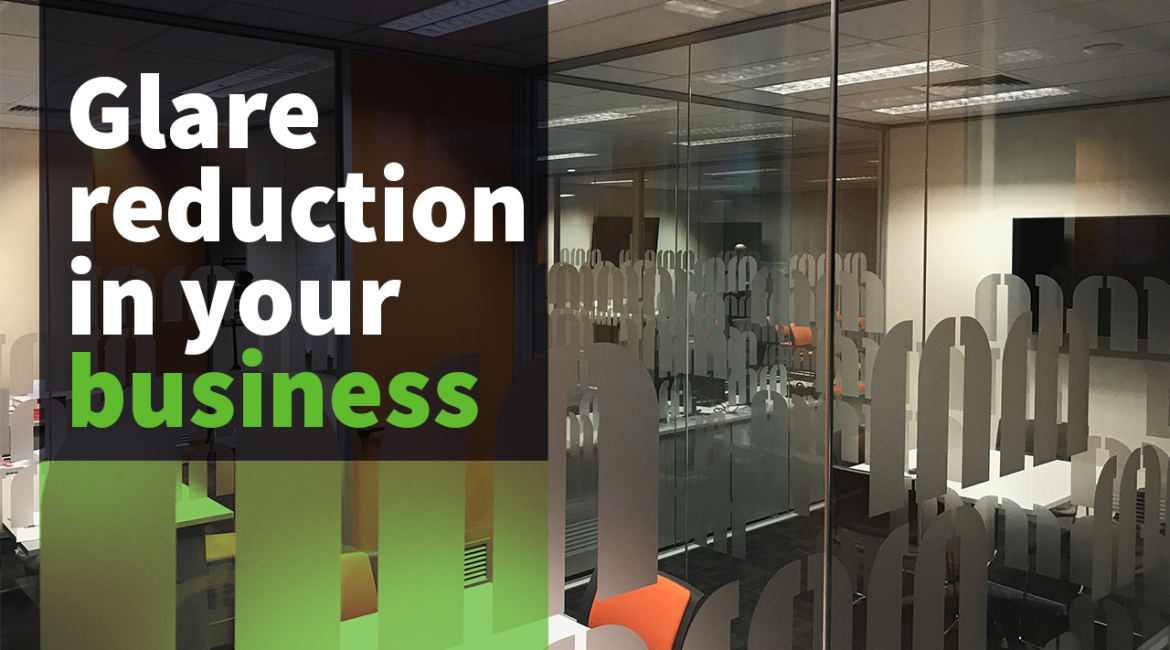
Glare reduction in your business

Glare Reduction in Office

Glare reduction

Glare into your office can range from being slightly annoying to a significant Occupational Health and Safety Hazard. Glare can result in issues such as eye strain and head, neck and shoulder aches. 

There are things you can do to reduce glare in your office. Here are four simple solutions to help reduce office glare in your business

Install Window Film on external windows

Applying window film to your external windows is a cost-effective and straightforward way to reduce glare. Plus there’s the added benefit of reducing energy bills by reducing heat loss in winter and protecting against solar heat in summer.

Different types of film have varying tints which provide different levels of glare reduction, and some provide glare reduction without affecting natural light from entering the window.

Consult with our professional and friendly team at Tint Melbourne for the best window film solution for your business, and we only use the highest quality film from 3M and Llumar.

Use shades and blinds

Window shades and blinds are another alternative. These can be used in conjunction with window film. You can have your company logo or other details on the blinds to promote your business at the same time.

Shades and blinds can be lowered and angled to control sunlight.  

Roller shutters provide added security to the building, but any blind will limit natural light.

Think about the design of the office

Redesigning your office space or simply changing the layout of desks can help reduce glare. Position monitors, so the employee faces the window. Think about setting up hot desks to allow employees to move around the office, sitting in a desk that will enable them to work most comfortably.

Also, consider paint choices and office furnishings. A light coloured paint may cause additional glare, and a shiny surface will reflect light more.

Encourage breaks

Encouraging your employees to take regular breaks away from screens and glare will not only help protect your employees from eyestrain and headaches but may also lead to an increase in productivity.

With a few simple and cost-effective changes, you can protect your employees ‘long term and provide a comfortable glare-free office environment.